




By
AFTouch-Cuisine5/5
(1review)
· 🍳 0 made it
Be the first to rate
Thanks for your rating!
Add AFTouch to your home screen
A shortcut on your phone for one-tap access.
How to do it on iPhone :
1. In Safari, tap the Share button (square with an up arrow, at the bottom of the screen).
2. Scroll down and tap "Add to Home Screen".
3. Tap Add at the top right.
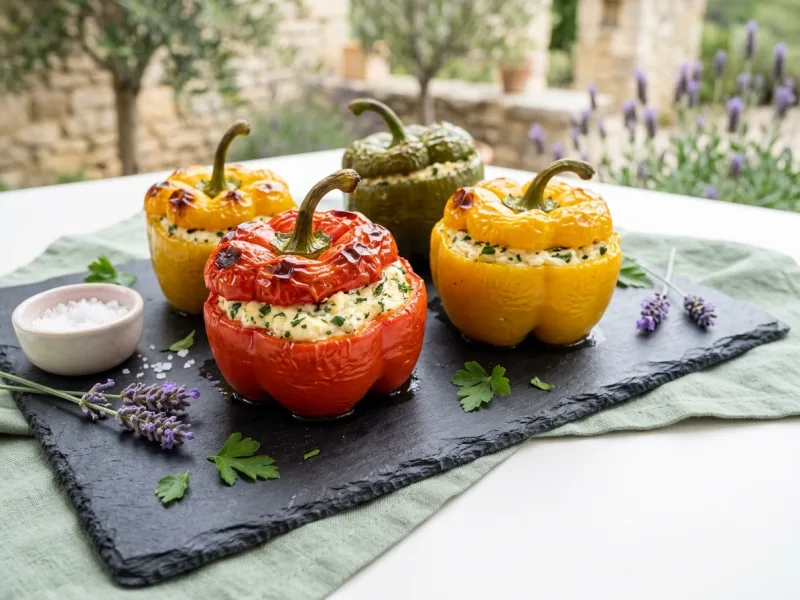
Stuffed peppers originated in Mediterranean regions, especially Spain and Italy. This version fills them with ricotta, ham and Parmesan. Bake 35 minutes at 190°C and serve.
Share
Ingredients for 4 servings
servings
4 red, green or yellow peppers
2.8 oz (80 g) grated parmesan
1 bunch of parsley
1 teaspoon basil
4 tablespoons breadcrumbs
2 garlic cloves
10.5 oz (300 g) ricotta
3 eggs
4 tablespoons olive oil
7 oz (200 g) cooked ham
Salt, pepper
Step-by-step directions
1 Wash and dry the peppers, cut off the top cap, remove the seeds and white filaments inside
2 Chop the garlic cloves (germ removed) with the parsley and cooked ham.
3 Put the ricotta in a bowl, add the eggs and all the other ingredients and 1 tablespoon of oil, mix everything well.
4 Fill the peppers with the filling and place them in an oven-safe dish in which you pour the 3 other tablespoons of oil.
5 Season and pepper.
6 Cook in a preheated oven at 375°F (190°C) for 35 to 40 minutes. serve immediately.
Chef Patrick's Comment
Simple recipe, of course normally the skin of the peppers should be removed to make digestion easier.
Stuffed Peppers with Ricotta5/5
(1review)
Rate it!
Thanks!
AFTouch Cuisine
Stuffed Peppers with Ricotta
min
--:--
1 / ?
🎉🥣🎉
Congratulations, Chef!
You have completed the recipe! We hope it turned out delicious.
📷
Show us your creation!
Take a beautiful photo of your dish and share it with our community. Your photo could illustrate this recipe on the site!
💬
Your opinion matters!
Did you adapt the recipe? Have a tip to share? We are eager to hear your feedback and experiences. Your comments help other cooks!
Add AFTouch to your home screen
A shortcut on your phone for one-tap access.
How to do it on iPhone :
1. In Safari, tap the Share button (square with an up arrow, at the bottom of the screen).
2. Scroll down and tap "Add to Home Screen".
3. Tap Add at the top right.
🛒
0
🛒 Shopping List
?
Culinary assistant
×
Hello! I'm the Chef's little helper. What would you like to cook today? 😊
Help other cooks
Share a tip, your adaptation, your result. Every comment counts.